-
Login to the app
Open the 4Barg app and login with your username and password.
-
Navigate to your profile
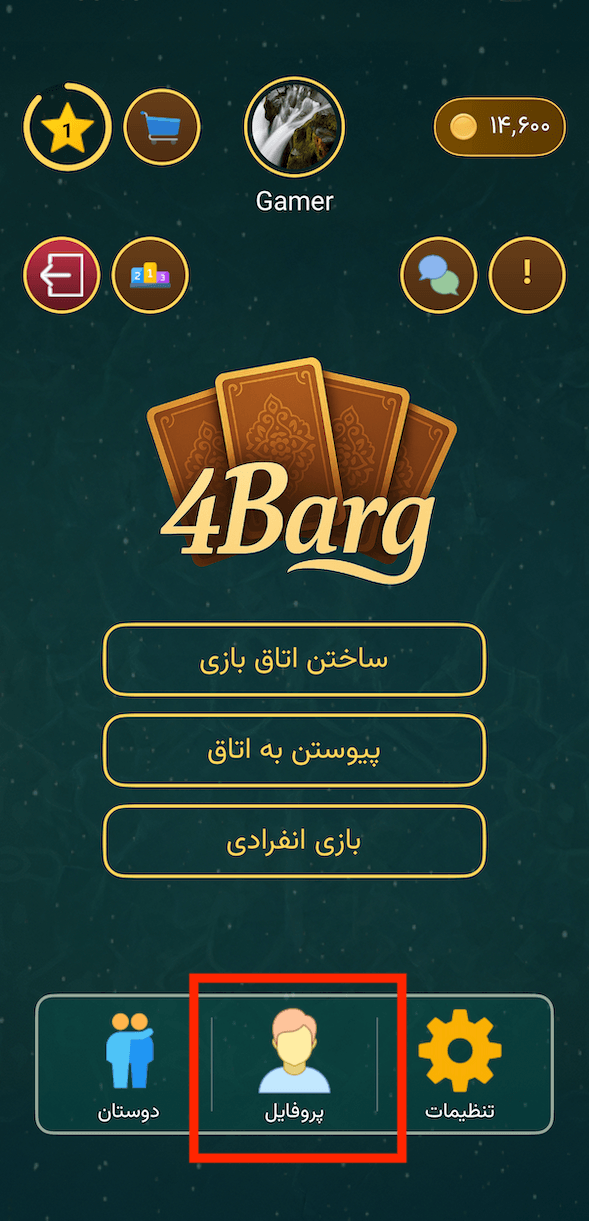
From the Lobby screen, tap on “پروفایل” (Profile). You can find this by tapping your avatar at the top of the screen, or the profile icon in the bottom navigation bar.
-
Open delete account
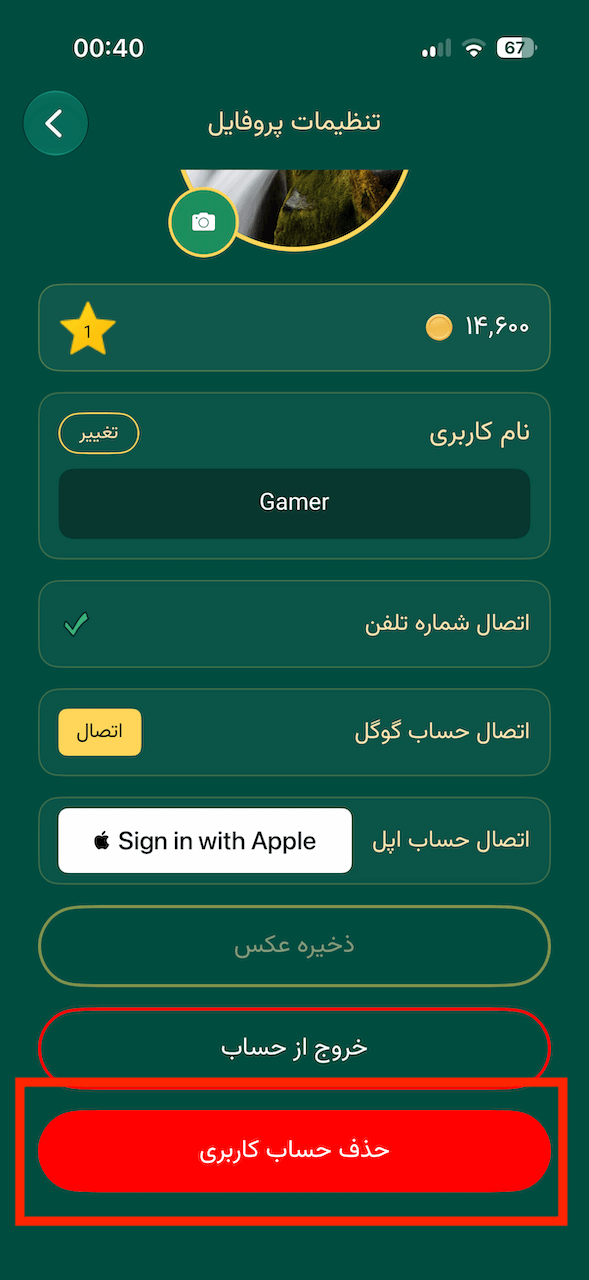
On the Profile Settings screen, scroll all the way to the bottom and tap the “حذف حساب کاربری” (Delete Account) button. It is the solid red button at the very bottom of the page.
-
Confirm deletion
A confirmation dialog will appear asking you to confirm. Type your exact username into the text field, then tap “تایید” (Confirm). Your account and all associated data will be permanently deleted.